How To Disable Lightspeed Systems - Use msiexec from command line with the password parameter and the password. In your list of current classes, identify the class you wish to hide.
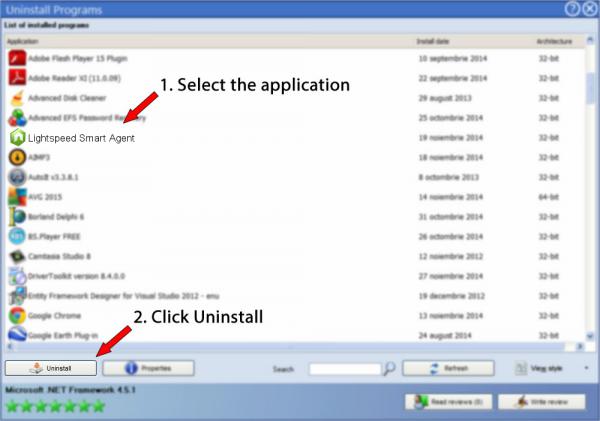
Lightspeed Smart Agent Version 173 By Lightspeed Systems - How To Uninstall It
Select the manage option at the bottom of your list of classes.
How to disable lightspeed systems. To completely remove all components and data related to lightspeed server, lightspeed provides a removal tool, which is included in the disk image of onsite 2015 2.0.0 and newer. Though this software could restrict sites, it could still be bypassed and circumvented. This could be a lightspeed integration and a google integration (if you’re utilizing the chrome bundle.) these settings are determined at the districts level and passed down to schools.
Put it in a batch if you want to simplify.i just run this with pdq or psexec: Can you please let me know what is wrong. What is lightspeed smart agent?
How do i disable lightspeed systems? It is a blocked dns, but is based on a sub domain. Maybe they already removed the device on their side, but i'm sure there is a way to reconnect.
How do i remove lightspeed user agent? Click on the lock icon at the bottom left to unlock changes and enter your password. This tool removes lightspeed server but leaves any backups for archival purposes.
The lightspeed system is blocking websites on my chromebook but now it blocked the terminal as shown below. If this passcode is protected, it will ask for a passcode, here is where you enter it. The second way would be their network.
I am trying to disable lightspeed for the standard hcm forms application asr_process_execute. Navigate to the lightspeed onsite downloads page. Lock out clients using these tools for anywhere from 0 to 60 minutes.
The lightspeed integration section shows how launch is integrated to lightspeed systems. Scroll down and locate device management. The easiest way to temporarily remove all restrictions from a single device would be to click on the device, then head into its profiles tab.
Click the ellipsis (.) to the right of that class entry, and select hide. Click the browse button to find and select the delete_users.csv file to upload. Autorun disable is a free tool that helps you secure your pc.
Begin by clicking on the currently selected class in classroom; I have tried proxies, tor or anything related to that, spidering, dictionary attacks, brute force attacks, rainbow attacks, and vpn's. Click the admin tools tile and select sis.
Or, you can uninstall lightspeed systems user agent from your computer by using the add/remove program feature in the window’s control panel. Btw, i'm in 7th grade and i can't download extensions except for. I was wondering if it is possible to block or remove it while it was added by my school admin.
Lightspeed filter™ reviews and restricts content anytime, anywhere, in every app and on every browser. A lightspeed system is a program to filter internet content used by schools and other educational organizations. Navigate to system preferences > security & privacy.
If the ipad is still part of an mdm setup, the school admin does have the ability to remove it. Ban these tools with a single click. Click the actions button and select bulk delete users.
Extract the files in the downloaded archive (zip) file. It is possible that the laptop itself is yours, or the school loaned it to you, and it has no restrictive software on it. When you find the program lightspeed systems user agent, click it, and then do one of the following:
Click the allow button to. So, ive been trying to hack through lightspeed system rocket for five months now. Is it possible to bypass lightspeed systems?
Click upgrade or install for any version of onsite 2015 2.0. Click the surf now! tab located to the right of the field and wait for notrack to bypass the lightspeed systems internet filter that was previously blocking the desired website. You have the option to disable filtering for a particular school by clicking none next to filtering.
I have tried the following options, but both of them did not work. With it you can easily disable the possibly dangerous autorun feature of windows (xp, vista, 7). To know how, read further into this article.
Keep students safe 24/7 from inappropriate or illicit online content on every district device—at home or at school. If all else fails, lightspeed systems should know. Filter bypass controls, available in the latest release of lightspeed systems web filter longhorn, lets you detect those sessions and shut them down.
Next to the group profile, press the 'remove' button:

Classroom Management Software For K-12 Schools Lightspeed Systems
Grangeburncomau

Lightspeed Filter Online Filtering For K-12 Lightspeed Systems

Ssl Decryption Problems We Solve Lightspeed Systems

Lightspeed Systems - The 1 Web Filter M-tech Systems

How To Disable Shared System Memory In Gpu - Graphics Cards - Linus Tech Tips
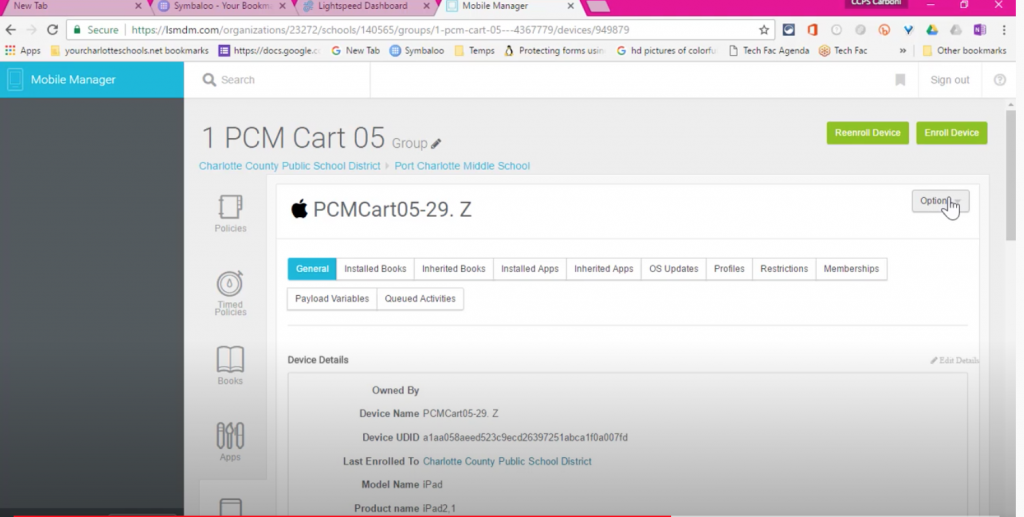
How To Remove Lightspeed Mdm Profile

Lightspeed Filter Online Filtering For K-12 Lightspeed Systems
Grangeburncomau

4 Tips Tricks To Bypass Your Schools Web Filtering System Mattbob
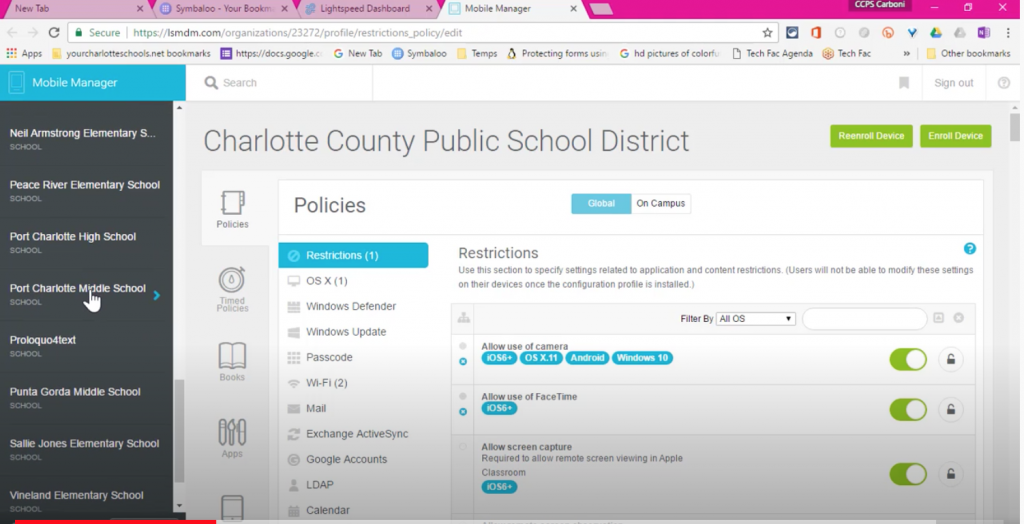
How To Remove Lightspeed Mdm Profile

Lightspeed Filter Online Filtering For K-12 Lightspeed Systems
Grangeburncomau
Relay Settings
